
admin
06 Jul 2026
CD Duplication Versus Replication

You’ve finished the mixes. The master sounds right. The cover art is close. Now you’re staring at one of the first manufacturing decisions that can affect your budget, your delivery date, and how your release holds up years from now.
Most first-time artists hit the same wall. They ask for CDs and immediately get two terms thrown at them: duplication and replication. Both sound technical. Both can look professional. Both can carry the same album. But they are not the same choice.
That matters whether you’re a rapper getting merch ready for a release party, a worship leader putting together sermon or choir discs, or a small label planning a retail-ready run. If you pick the wrong process, you can end up paying for volume you don’t need, rushing a job that should’ve been planned differently, or choosing a short-run format for discs you expect people to keep for years.
Your Album Is Done Now What
A common first release goes like this. An indie artist approves the final WAV files, messages a designer about the tray card, and then asks one simple question: “How many CDs should I make?” That question quickly turns into several others. How fast do I need them? How many can I realistically sell? Are these for the merch table, for church members, for promo, or for stores?
The confusion usually starts because CD duplication vs CD replication sounds like a quality debate. A lot of people assume one must sound better than the other. Others assume duplicated discs are just “homemade” and replicated discs are “real.” Neither shortcut tells you what you need to know.
The practical decision is simpler. You’re choosing between a short-run method built for speed and flexibility, and a manufacturing method built for scale, consistency, and long-term durability.
Most first-time buyers don’t need more jargon. They need a clear answer to one question: what fits this release, this audience, and this budget?
If you’re putting out a first EP, a live sermon series, a small-batch mixtape, or a demo run, you probably care about three things more than anything else:
- Speed: You may need discs in hand for a show, event, or weekend service.
- Risk: You don’t want boxes of unsold inventory sitting in a closet.
- Cost control: You want packaging and quantity to make sense for a first run.
If you’re planning a bigger commercial release, the priorities shift:
- Scale: You need enough units for wider distribution.
- Presentation: You want a retail-standard finished product.
- Longevity: You expect people to keep these discs, archive them, and play them across more systems over time.
That’s where the main difference begins.
How Your CDs Are Actually Made
A band finishes mastering on Monday, books a release show for next weekend, and suddenly the manufacturing method matters a lot more than the music theory ever did. If you need 100 discs fast for the merch table, the process that makes those discs is different from the process used for 1,000 retail-style copies that need to hold up in storage and play cleanly in older car stereos.
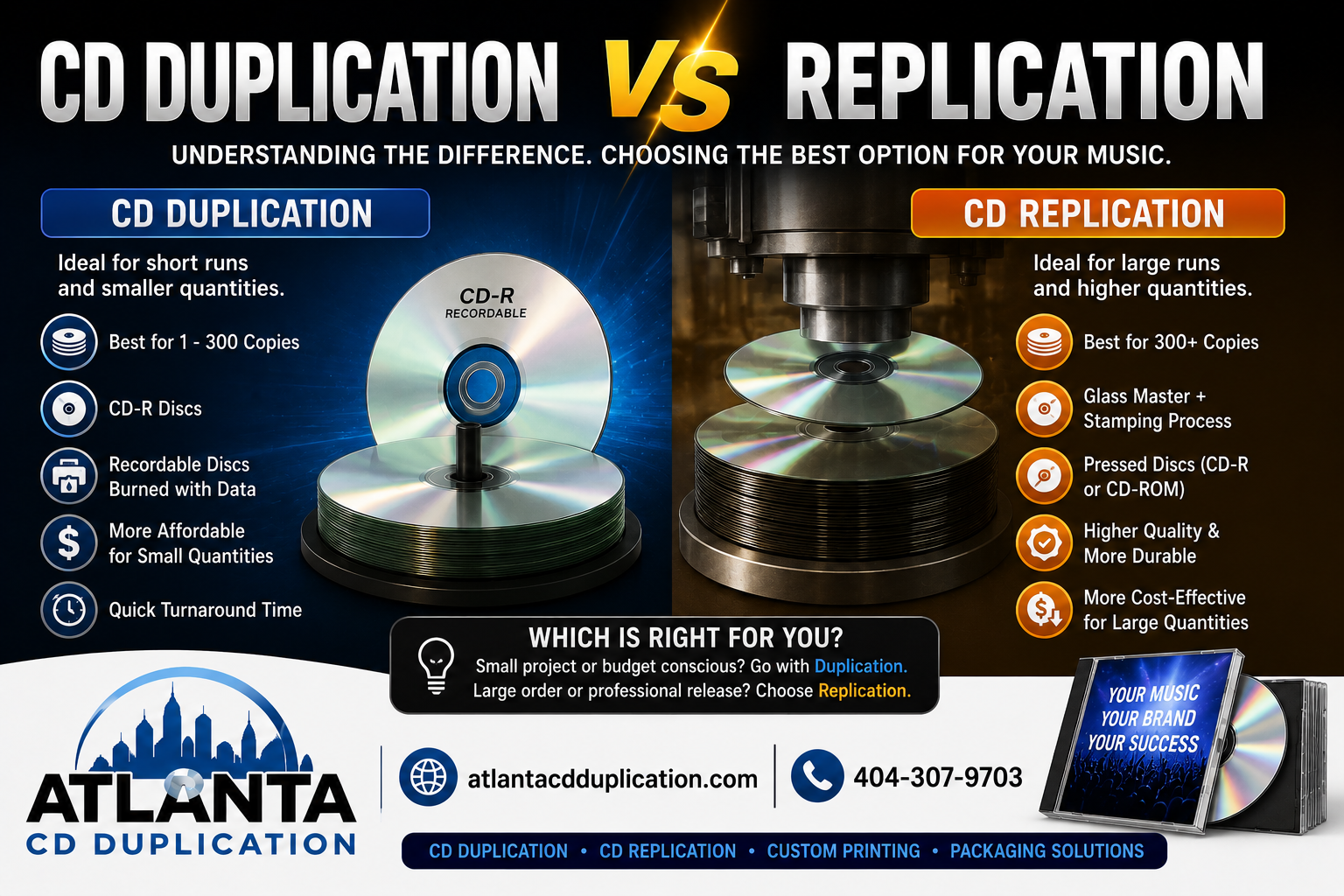
Duplication means recording your album onto CD-R media
With CD duplication, your audio is written onto a pre-manufactured CD-R with a laser. Professional duplicators do this in batches with verification and printed disc faces, but the underlying media is still recordable media, not a factory-pressed disc.
The disc already exists before your album goes on it. The production step is the recording step.

That shorter workflow is why duplication works well for short runs. There is no glass master to cut and no stamper to prepare before production starts. For indie artists, churches, and event-driven projects, that time savings is often the deciding factor.
There is a trade-off that first-time buyers rarely hear enough about. CD-R media stores data in an organic dye layer, and that layer can degrade faster when discs are exposed to heat, humidity, and sunlight. In a place like Atlanta, where cars, garages, and rehearsal spaces can swing hard on temperature and moisture, storage habits matter. A duplicated disc kept in a climate-controlled case may serve its purpose for years. The same disc left in a hot vehicle for weeks is taking more risk than a pressed disc would.
Replication means the disc is manufactured with your data built in
With CD replication, the disc itself is produced through a factory process. Replicat’s explanation of replication versus duplication describes replication as using a glass master/stamper and injection molding to form the disc, while duplication writes data onto a pre-made CD-R.
That manufacturing difference affects more than cost. It affects what the player is reading.
A replicated CD has physical pits and lands molded into the disc structure, which matches the format older commercial CD players were designed around. A duplicated CD-R relies on reflectivity and dye-based recording. Many modern players handle both without trouble, but older boomboxes, some factory car stereos, and aging slot-load units can be less forgiving with CD-R media. If your audience includes people playing discs in older home or car systems, replication gives you a better compatibility margin.
Why the production method changes the real-world result
Duplication is the practical short-run option because setup is light and production can start quickly. That is why shops that handle fast-turn indie orders, including Atlanta Disc, often steer smaller projects toward duplication when speed and lower upfront cost matter more than archival life.
Replication takes more preparation at the start because the master and manufacturing tools have to be created first. Once that setup is done, it is the standard method for larger runs and the better fit for projects meant for long-term storage, broad playback compatibility, or a more traditional retail-style release.
A simple way to frame it is this:
- Duplication records your album onto existing CD-R media.
- Replication manufactures a pressed disc from a master made for your release.
If the discs are going straight to a show, a conference, or a short promo run, duplication often makes sense. If you expect fans to keep the album for years, store it in less-than-perfect conditions, or play it in older CD hardware, replication starts to earn its extra setup cost.
Duplication vs Replication A Head-to-Head Comparison
Here’s the fastest way to sort through the decision.
| Factor | CD Duplication (Short Run) | CD Replication (Large Run) |
|---|---|---|
| Production method | Data is burned onto pre-made CD-R media | Disc is manufactured from a glass master and stamper |
| Best fit | Small runs, promos, event sales, short deadlines | Larger releases, retail-style runs, wider distribution |
| Setup | Minimal setup | Requires mastering and stamper setup |
| Turnaround | Faster for smaller orders | Slower to start, better for scale |
| Upfront cost | Lower | Higher |
| Volume economics | Better for limited quantities | Better as quantity rises |
| Disc type | CD-R | Pressed CD |
| Long-term focus | Convenience and speed | Durability and consistency |

Turnaround and minimums
If you need discs quickly, duplication usually wins. Media Duplication Ltd.’s comparison of CD duplication and replication describes replication as the better fit for larger batches, commonly 1,000+ discs, though some specialty providers may go lower, while duplication is positioned for short runs and one source there cites up to 100 discs as a typical range because it skips the mastering and stamper setup.
That doesn’t mean every vendor uses the same exact thresholds. It does mean the pattern is consistent across the trade. Small orders lean duplication. Large runs lean replication.
Print finish and presentation
This part often gets oversimplified.
Many duplicated discs still look clean and professional, especially when the manufacturer offers proper disc-face printing, inserts, tray cards, sleeves, or jewel case assembly. For first runs and merch-table releases, that’s often more than enough.
Replication tends to pair naturally with larger production workflows and traditional retail presentation. If your project is headed into a more formal release environment, replication often fits the expectation better.
What works and what doesn’t
Duplication works well when:
- You’re testing demand: A first EP, a local release, or a short sermon run doesn’t always justify a large commitment.
- You need speed: Tight event dates often leave no room for a longer manufacturing queue.
- You want flexibility: Small batches let you reorder instead of guessing high.
Replication works well when:
- You already know the run is large: Volume is where replication starts making sense.
- You want a traditional pressed disc: That matters for some retail and archival uses.
- You need a long-run strategy: Larger official releases benefit from the manufacturing model.
What doesn’t work is choosing purely by instinct. Artists often say, “I want the most professional option,” when they only need a modest quantity for shows. Others choose the cheapest immediate route without thinking about older CD players or long-term storage.
The wrong choice usually isn’t a bad product. It’s a mismatch between the process and the project.
Finding Your Financial Break-Even Point
You finish the album, book a few shows, and start pricing CDs. One quote looks cheaper up front. Another looks smarter if you sell through. That decision point trips up a lot of first-time artists.
For most projects, the break-even question is simple: at what quantity does replication stop being overkill and start making financial sense?
A practical rule used across the industry is to treat 500 units as the line where you should compare both options closely. Below that, duplication usually keeps your upfront spend lower. Above that, replication often starts to make better sense on a per-disc basis because the setup cost is spread across a larger run.

The real break-even is not just unit price
A lot of artists compare only the quote total. That misses two costs that matter in practice: reorder risk and disc longevity.
Duplication avoids the larger setup expense, so it works well if demand is still uncertain. That is why short runs are common for first albums, local shows, and test-market releases. Shops like Atlanta Disc see this pattern all the time with indie bands that need a polished run now without tying up cash in boxes they may still have a year later.
Replication asks for more money on the front end. If you already know you will move a larger quantity, that higher entry cost can pay off over the full release cycle.
Climate matters too. In a place like Atlanta, where storage spaces, trunks, rehearsal rooms, and garages can swing between heat, humidity, and air conditioning, duplicated CD-R media generally has less margin for long-term archival abuse than a pressed replicated disc. If you expect inventory to sit for long periods in inconsistent conditions, the cheapest quote can become the expensive choice later.
Playback compatibility matters for break-even as well. If even a small share of your buyers use older car stereos, boom boxes, or early standalone CD players, duplicated discs can create more playback headaches than replicated discs. Returns, replacements, and disappointed fans eat into the savings fast.
Here is the rule I give first-time buyers:
- Under 500: Price duplication first.
- Above 500: Price replication first.
- Near the line: Compare both with packaging, print setup, shipping, timeline, and your expected sell-through.
This video gives a useful visual overview of how the two paths differ in practice.
Ask a sell-through question, not a vanity question
The useful question is not whether a larger run feels more official. The useful question is how many discs you will realistically sell before you need to reorder.
If you expect to move a modest quantity at shows over the next few months, duplication usually protects cash flow better. If you already have distribution lined up, strong preorders, or a release plan that will keep the title in circulation for a long time, replication can give you cleaner economics and fewer compatibility concerns.
Over-ordering creates dead inventory. Under-ordering can create a different problem if your audience includes buyers with older players or if you need discs to hold up over a longer storage window.
That is the financial break-even point most articles skip. It is not only about the invoice. It is about how many discs you sell, how long they need to last, and where your audience will play them.
Which Is Right for Your Project Real-World Use Cases
A lot of first releases follow the same pattern. An indie artist finishes the masters, books a few shows, and wants discs on the table by next weekend. The right choice usually comes down to where the discs will end up after they leave your hands. In a fan’s older car stereo. In a church office with weak air conditioning. In a garage box through a Georgia summer. Those details change the answer.
The indie band with a small merch run
For a band selling CDs at local shows, duplication is usually the practical call. You keep the order small, protect cash flow, and avoid stacking unsold boxes in a rehearsal space or apartment closet.
That matters more than many first-time buyers expect.
Short-run merch discs often get stored in cars, backpacks, and plastic bins between gigs. CD-Rs can work well for that job, but they are less forgiving over time if they sit in heat and humidity, especially in climates like Atlanta’s. If you expect fans to buy a disc at the show and rip it that week, duplication makes sense. If you expect those same discs to live for years in glove compartments or older home players, the trade-off gets less friendly.
The church ministry or community group with changing content
Weekly sermons, seasonal choirs, memorial programs, and conference messages usually point to duplication too. The content changes fast. The audience size can swing from one event to the next. Ordering modest quantities keeps waste down.
Playback environment matters here more than sound quality. Churches and community organizations often use older standalone CD players, older installed AV gear, or donated equipment that has seen a lot of use. Pressed discs tend to be the safer format for that hardware. Duplicated discs are still a good fit for short, time-sensitive runs, but this is one of the cases where testing a sample on the actual player matters before ordering the full batch.
The artist with a regional release and older buyers
This is the use case many comparison articles skip. If you are selling to jazz, gospel, classical, or legacy country fans, a bigger share of your audience may still use older home decks and car players. That audience is often happy to buy CDs, but it is also more likely to notice compatibility problems.
Replication is usually the better fit here, even if the quantity is not huge. The lower risk of playback trouble can save you refunds, replacements, and awkward conversations at the merch table. If your release is meant to stay in circulation for a while, replication also gives you a better long-term storage profile.
The small label or artist planning a formal album campaign
A proper release with distribution, press outreach, and a longer selling window usually justifies replication. At that point, the disc is no longer a quick merch item. It is part of your catalog.
The deciding factor is rarely the audio itself. Microforum’s explanation of sound quality in replicated and duplicated CDs points out that both formats can carry the same bit-for-bit audio data. In practice, the bigger differences are manufacturing method, player compatibility, and how well the discs hold up through storage and handling.
Choose based on who will play the disc, where it will be stored, how fast you need it, and how long you expect it to remain sellable.
For many indie releases, the smart path is simple. Use duplication for short-run, fast-turn projects with controlled quantities. Use replication for catalog titles, broader distribution, older-player audiences, or any release that needs a longer shelf life in real-world conditions.
Beyond the Basics Hidden Factors You Must Consider
Most articles stop too early. They tell you duplication is faster and replication is better for larger runs, which is true, but incomplete. Two issues matter more than many buyers realize: older-player compatibility and long-term archival stability.
Older CD players don’t treat every disc the same
A duplicated CD-R and a replicated pressed CD may carry the same audio data, but the physical way they present that data to a laser is different. That matters most with older hardware.
The verified research included here notes that a 2024 Audio Engineering Society study found CD-Rs with organic dye layers can show reflectivity as low as 15 to 20%, while replicated discs maintain 70%+, leading to a 12% higher error rate in playback on older laser mechanisms. That’s especially relevant if your audience still uses older home CD players, older car stereos, or legacy church and venue equipment.
If you’re releasing music aimed at listeners who still rely on long-owned players, this isn’t a theoretical issue. It’s a practical one. A duplicated disc may still be the right choice for a short run, but you should make that choice with your audience’s hardware in mind.
Climate and storage can change the long-term picture
The second issue gets even less attention. CD-R media uses an organic dye layer, and that layer is more vulnerable over time than a replicated pressed disc.
The verified data states that early 2025 NIST research found that under standard indoor humidity of 40 to 60%, duplicated CD-Rs showed a 35% increase in bit errors after 5 years, while replicated discs showed less than 2% degradation over the same period. The same verified data also notes that in extreme conditions, such as humid summers in places like Atlanta, duplicated discs can face a much steeper failure curve.
That doesn’t mean duplicated discs are useless for storage. It means they’re a weaker choice if your plan is archival retention, collector resale years later, or dependable playback after long periods in changing conditions.
A short-run duplicated disc is great for immediate distribution. It is not automatically the best archive copy of an important release.
What to do with that information
If you need a practical rule, use this:
- Choose duplication when fast distribution, smaller quantity, and lower upfront commitment matter most.
- Choose replication when you care about older-player compatibility, long storage life, and a larger manufacturing run.
If the project matters enough to preserve, keep your production master files backed up separately no matter which disc type you order. Physical media is part of the release strategy, not the only backup strategy.
Your CD Ordering Checklist and Vendor Tips
By the time you’re ready to place the order, most problems come from missing files, unclear packaging choices, or ordering the wrong quantity. A simple checklist prevents nearly all of that.
Get these pieces ready first

- Master audio: Final, approved audio files. If your project is going to replication, ask whether your vendor prefers a DDP image or specific WAV delivery.
- Artwork files: Cover, back insert, tray card, booklet, and disc-face art prepared to the vendor’s template.
- ISRC codes: If you use them, make sure they’re finalized before manufacturing.
- Copyright details: Confirm the exact text you want printed.
- Quantity: Base this on your likely real-world need, not your ideal fantasy run.
- Budget: Include packaging and shipping, not just disc production.
- Vendor questions: Ask about turnaround, print proofs, packaging assembly, and disc testing.
Vendor habits that save time
First-time buyers usually benefit from keeping the order simple. Clear sleeve packages, jewel cases with inserts, or straightforward wallet packaging often move faster and leave less room for artwork errors.
A few practical habits help:
- Approve audio before art goes final. Last-minute sequence changes can create printing mistakes.
- Use the vendor’s templates. Don’t guess trim size or bleed.
- Ask about your playback audience. If your discs are going to older listeners, mention that before choosing the format.
- Think past delivery day. If these discs are meant to live in storage or remain sellable for years, factor that into the process choice.
A careful vendor should be willing to walk a first-time customer through quantity, packaging, and format without pushing them into a run that doesn’t fit the project.
If you’re weighing CD duplication vs CD replication for an upcoming release, Atlanta Disc can help you sort out the right format, packaging, and run size for your project, especially if you need a short-run order with printing and assembly handled in one place.